
Mafia Wars Operations feature some of the best Attack and Defense items in the game, and - in six instances - let you Wish List, gift, and trade top-tier Operations Loot. The recent Steal the Ball Operation and Secure Rudolph Operation brought two more great items into the game. If only there were a way to get to the point already join more Operations...
 And there is. In fact, if you spend some time at it, you can easily join *200* Operations each day. And finish them. And get the Rewards from them, which *may* include the Rare items, with stats in the 70s and high 60s. The more Operations you join, the
 What's that you say? There's a limit of 10? You can only join Operations when you happen to see them posted on your Facebook feed? They'll never land a man on the Moon?
Ten days ago, only 500 select Mafia Wars had heard of the Free Gift Link Creators group on Facebook. Today, that number is closer to 2,500, with the group's administrators wishing I were dead members grabbing 100+ extra Free Gifts each day. (Look at the comments to that post - there IS still a way to join...).
So today, I'm giving a shout out to three more Facebook groups, all of which are dedicated to posting Operations that need spots filled to complete.
 You go to these Facebook pages and click on other Mafia Wars players' Operations than needs spots filled. You don't have to be in some one's Mafia to join their Operations -- but without these groups, you'd never SEE the Operations posted from anyone outside your Mafia. So this is as easy as clicking your mouse.
As with the Free Gift Link Creators page, these groups work even better when you not only click on the Operations links, but also post your own links - more on that below.
Between these three groups - and one other trick I'll discuss in a future post - there are more available Operations than I have time to click and join.
 |
Participating in 10 My Mafia Operations, with most completed in a matter of minutes |
My Mafia Operations is perpetually at 10 (that is the limit...but only at one time). The Operations featured in these groups are usually fully completed within 5 or 10 minutes, so you can collect your rewards and join another Operation. With enough Energy and Stamina, you could spend every day playing Mafia Wars in your pajamas instead of going to work doing the "Operations loop" - joining, completing, collecting rewards, and joining more
One warning - most of these Operations are completely full if the post is more than 2 minutes old - I often click a link posted 40 seconds ago and see the Operation has no open spots remaining. Or I'll click a link and see a few open spots, and by the time my increasingly arthritic hands imprecisely move my mouse somewhere near the Select button I decide which job I want, the Operation is completely full. So act fast!

Setting aside this frustration which I do by pounding my fists on the keyboard each time it happens to me, having an Operation fill up within seconds is good news. If you are quick enough join an Operation (and you'll get to join plenty, believe me), you know that several other Mafia Wars players are right behind you to fill the remaining spots, complete the Operation, and let you collect your Rewards... leaving you free to find another Operation to join. 200 a day. I promise.
The groups below have roughly the same format: a wall full of posts of TinyURL links that take you into Mafia Wars on a page with an Operation that has one or more slot to fill.

You'll usually see the type of Operation (circled in red above) listed with the post. Another item to look for is how many spots are left (circled in blue above). The more spots remaining open, and the more recent the post, the more likely you are to get a spot in that Operation.
There's no gimmick, no entry fee, not even the need to add Mafia members - just follow the links below, join/like these Facebook groups, and have a blast.
-Group #1-

Daily readers know how much I love the hard-to-find Secure Rudolph and Steal the Ball Operations, with the elusive Jackal ATV and New Years Resolution rewards.
So imagine my delight in discovering a new Facebook group dedicated to posting links to these Operations with open spots? That alone gets my five-star rating - but the rebellious use of 'Mission' instead of 'Operation' makes me even happier, since Mafia Wars needs to purchase a thesaurus with Zynga's multi-million dollar profits needlessly swapped those terms last month.
Mafia New Year Missions and Beyond is also the newest of the three groups - meaning, join now and you won't be whining in two weeks that the group isn't accepting new members will enjoy the ride.
It appears that this site will focus on the limited-time Operations that drop the limited-time Loot. Join up, post YOUR links with open spots on Secure Rudolph and Steal the Ball Operations that you're in (directions below), and you'll be raking in the Jackal ATVs, New Years Resolutions, and future top-tier Operations Loot.
-Group #2-
 This Facebook group is a well developed, one-stop shopping for all types of Operations, though you will see Transport Stolen Uranium and Take On a Rival Operation links about 80% of the time.
I gave Finish My Mafia Wars Operations a thumbs up in an earlier post on the best Operations Loot. This group already has nearly 1,500 members, meaning there are often over 100 new links posted in an hour, all leading to Operations you can join.
There are enough posts here to let you be choosy about which Operation you want to join, depending on which Operations Loot or Mission Collection item you are targeting.
-Group #3-
 This "group" is actually a Facebook Event - which, like the syntax of the group's name, seems a bit off. But what this group lacks in branding, it more than makes up for in volume of available Operations.
The powers that be at 5 mins Mission don't mess around. With over 5,000 Mafia Wars players "attending" the event (and countless others participating without attending), this group keeps its stated purpose: "POST YOUR MISSION HERE!! WE WILL HELP YOU TO GET IT DONE IN 5 MINS." And they do.
The links on 5 mins Missions are usually in long form - not TinyURL format - but the result is the same. Click. Operation. Join. Rewards. Repeat. Almost every time I hit refresh on this page, there are two or more new Operations links posted. And because you don't need to be in the Operation leader's Mafia to join, you can join whichever ones look best to you.
 |
Why waste time at TinyURL.com when you can post more Operations instead? |
As the largest of the three groups discussed here, 5 mins Mission has new links are posted around the clock - so even if you are too slow for a few, a new opening is moments away. Remember - if the post is more than 3 seconds minutes old, the Operation is probably filled.
As to this "group" being a Facebook Event, it appears that the creator of 5 mins Mission invited 100,000 Mafia Wars players to join - and has created a group providing non-stop Operations openings, posted by thousands of Mafia Wars players. Hats off for the innovative development style - it is effective, judging by the sheer numbers.
===========
Operations Selection Strategy
 One trend I notice (and follow) is that the first spots chosen in an Operation are the Energy jobs, followed by the mixed Energy/Stamina jobs, with the all-Stamina jobs usually being the last 1 or 2 spots. Remember - if you have enough Stamina and are able to fill the last spot and complete your job, the Operation is done and you can immediately collect your rewards.
If you see an Operation with 1 or 2 spots open, and you don't have (or want to use) Stamina, I suggest clicking on another Operations link. There are plenty to choose from.
Posting Operations Links
As with the Free Gift Link Creators group, you COULD just join and click on links and get what you need (here, more Operations). But I encourage you to learn how to post your own unfinished-Operations links on these sites. Not only will this widen the groups, but it will help assure that an Operation -where you've already completed your role - gets filled and finished completely. This will let you collect rewards and join another Operation.
Posting your links on these groups is easy, especially if you joined the Free Gift Link Creators group and learned how to use Link-a-Nator. If you didn't join, or don't know how, read that post to get a basic idea of how to create links from Mafia Wars - the basic concept is the same between Free Gift Links and Operations Links.
Important note: you are creating links for "My Mafia Operations" (ones you joined that still have open spots) and NOT "My Operations" (ones you lead).
The keys are two Mafia Wars tools called Unframe MW and Mission-a-Nator. Like Link-a-Nator - you can get Unframe MW at Spockholm Mafia Tools with Mission-a-Nator available at this Spockholm page. These tools do all the Tiny URL work for you.
As I said in my prior post on Link-a-Nator, if you find that these tools make your Mafia Wars experience, consider donating to the programmers. A couple bucks from any percentage of the 15 million Mafia Wars players goes a long way.
To make and post your own Operation links, follow these steps:
1. If you're using Google Chrome, you simply drag the Unframe-MW bookmarklet to your Bookmarks bar. Do the same with the Mission-a-Nator link, putting it next to Unframe MW at the top of your browser if possible. DON'T CLICK ON THE LINKS ON THE SPOCKHOLM PAGE. Nothing will happen.
2. Once you have both Unframe-MW and Mission-a-Nator in your Bookmarks Bar, go back to Mafia Wars, and click on Operations and then My Mafia Operations.
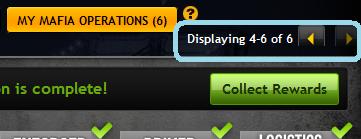
3. There are three Operations on each page - so if you've joined 10 Operations, you will have arrow keys to scroll from 1-3, 4-6, 7-9, and 10. Start on the page with 1-3. If any of the three Operations on your first page have OPEN JOBS (not unfinished/partially finished jobs), click on your Unframe-MW bookmark.
4. Your Facebook page will lose its white borders and the page will be all black, meaning that you're about to enter The Matrix you've "unframed" your Mafia Wars page - a necessary first step. If any Free Gift or Operations notice windows pop up, just close them.
5. NOW click on the Mission-a-Nator bookmark. The program will identify the Operations ON THAT PAGE, and indicate the type of Operation, time remaining, and number of open slots - that is, slots that people can join to finish the Operation.

6. Click on "Make Tinyurl" on any Operation that has 1 or more Slots listed. Mission-a-Nator will generate several TinyURL links for each Operation you click.
 |
Mission-a-Nator, after you click "Make Tinyurl" |
7. Copy the ENTIRE text and link(s) in ONE of the two white boxes above (they feature the same link, but provide slightly different info). Don't just copy the link - copy the entire text. This way, when you post your link(s) on one or more of the groups above, others will know the Operation type and how many Slots are open.
8. Open a new tab. Leave the Mission-a-Nator window open - you will need it again if you want to re-copy the link for another Operations group, and to go to your other My Mafia Operations pages that have open Slots.
9. Go to the group(s) above and post your descriptive links. Within minutes, some one will click on them and join the Operation that you're waiting to be completed.
10. Go BACK to the Mission-a-Nator tab/page and click the yellow arrow to go to other My Mafia Operations pages with open-slot Operations. Notice you are still in unframed mode (as you should be). Click on the Mission-a-Nator bookmark again and repeat steps 5 through 9.
11. If you've got open-slot Operations on multiple pages in your My Mafia Operations tab, you can always START a post in the Operations group that you're posting the link to, go back to Mission-a-Nator and get links from Operations on your other My Mafia Operations pages, and paste those links into the same post. Or you can post the link(s) generated by Mission-a-Nator from each of your My Mafia Operations pages separately in the Operations groups above - the end result is the same.
NOTE - Mission-a-Nator will not work unless you are in Mafia Wars AND on your My Mafia Operations page/tab. Don't click on Mission-a-Nator from your Facebook home page.... or from your Mafia Wars Chop Shop page... or from the Mafia New Year Missions and Beyond page... or from the Finish My Mafia Wars Operations page... or from the 5 mins Mission page event. NOTHING WILL HAPPEN. You have to be in Mafia Wars, and on your My Mafia Operations page/tab, to use Mission-a-Nator. (You can unframe Mafia Wars from any page in the game).
===========
Now... get out there and join the three Operations groups discussed above... and watch your stats soar as you round up tons of top-tier Operations Loot.
**If you think YOUR Mafia would benefit from this information, please click LIKE and/or SHARE at the top of the page, and spread the word!


